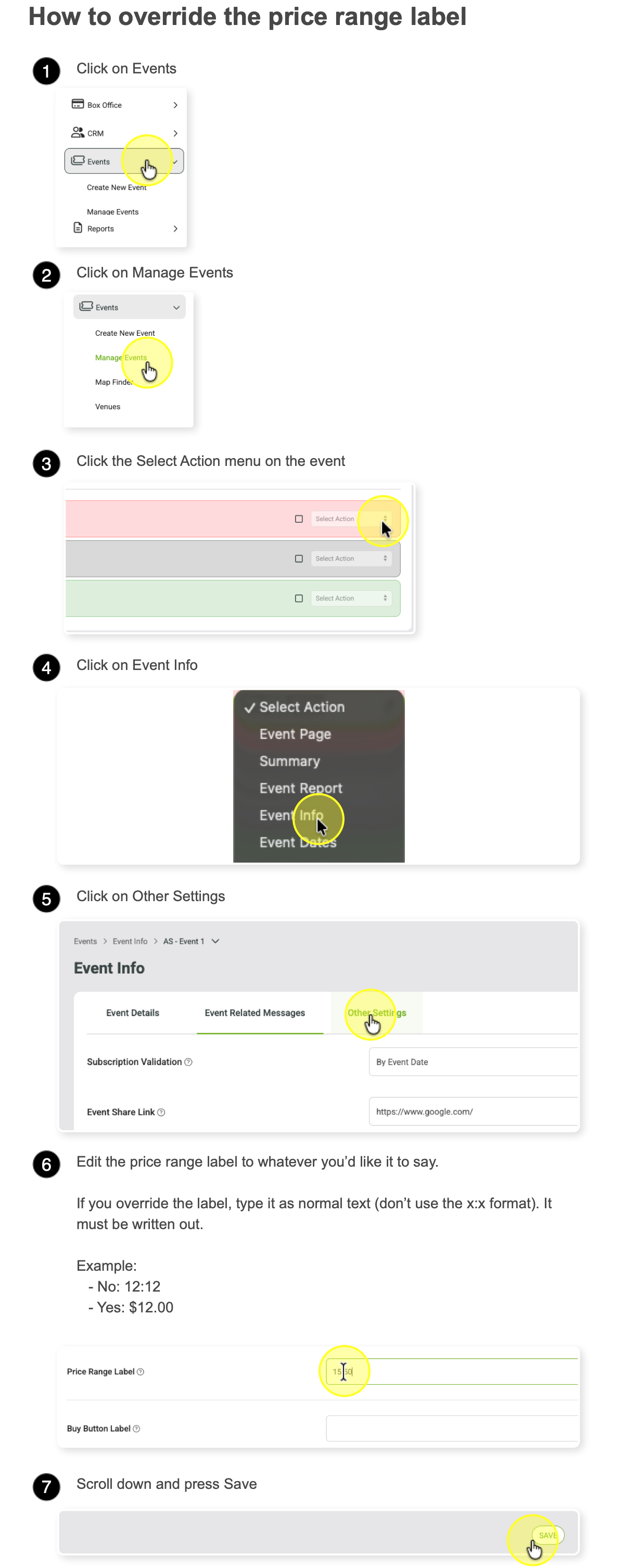
Edit Price Range Label On List / Grid View
This doc will cover how to edit the price range label that is displayed on the event list and grid view in the plugin.
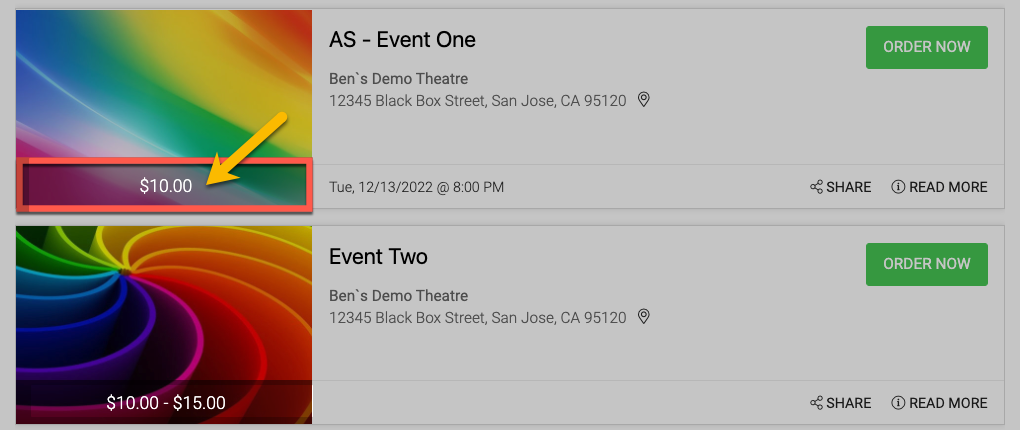
If you override the label, type it as normal text (don’t use the x:x format). It must be written out.
No= 12:12
Yes= $12.00
If you completely remove it, it will default back.
If you don't want it to be displayed at all, the label can be hidden with CSS for all events.
Here is the CSS code to hide the price range element:
CSS
.EventListPriceWrapper {display: none; }Add this code to the CSS plugin area on the plugin you want to modify if you want to hide the label completely. Creating a plugin