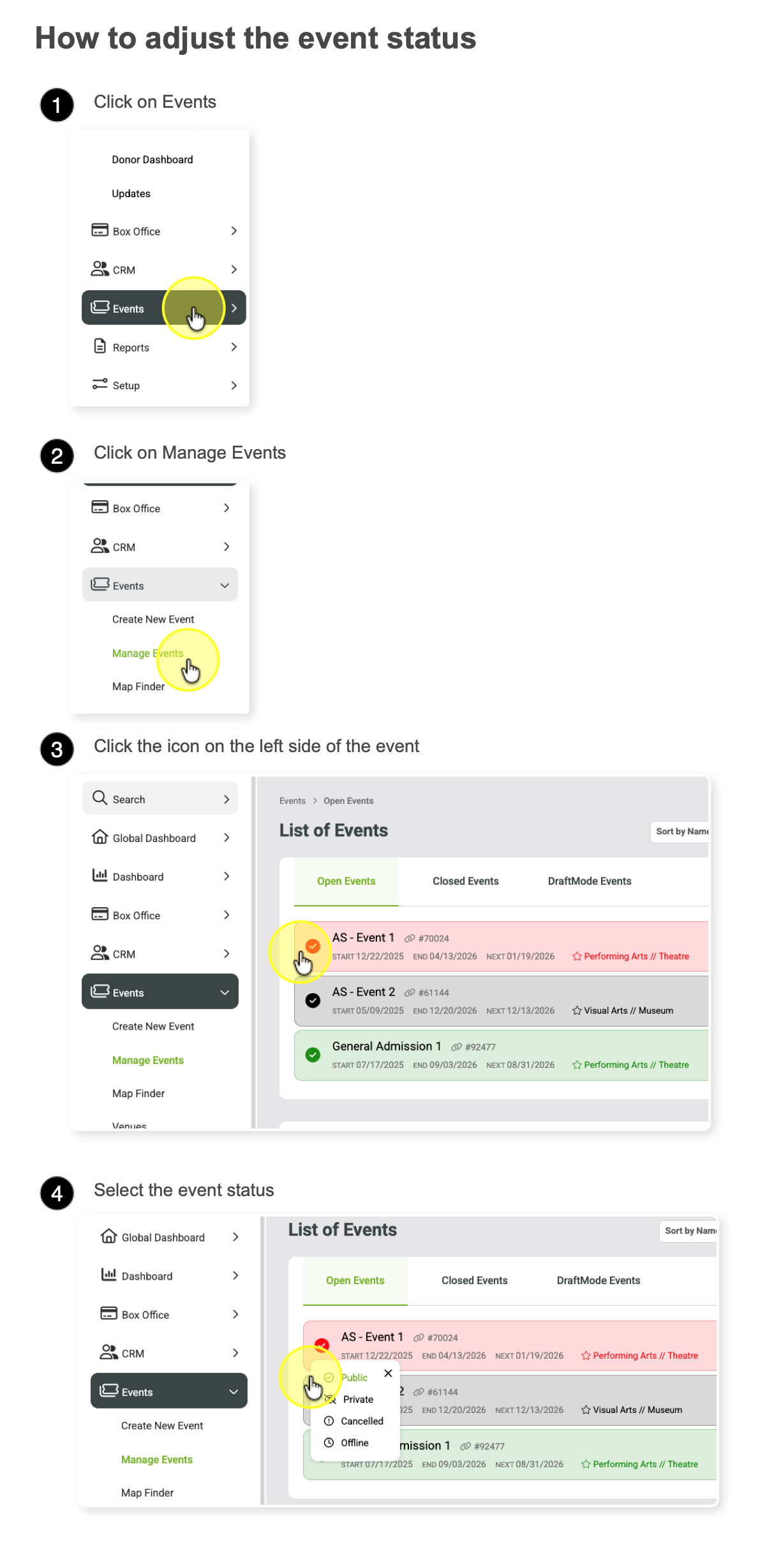
Event status (public, private, offline, or canceled)
To change an events status - go to Event > Manage Events and click the icons on the left side of the event name.

Public = Event is in public mode and is searchable online.

Private = Event is not listed online. Only accessible via unique event URL.

Offline = Event is not listed online and not sellable.

Canceled = Event is in a canceled state. It will show online but will show that the event is canceled status.