Min Age Requirement | Age Restriction
This help doc explains how to add or edit the minimum age requirement for an event. The age restriction will only display if one is set on the event. If no age requirement is configured, nothing will show.
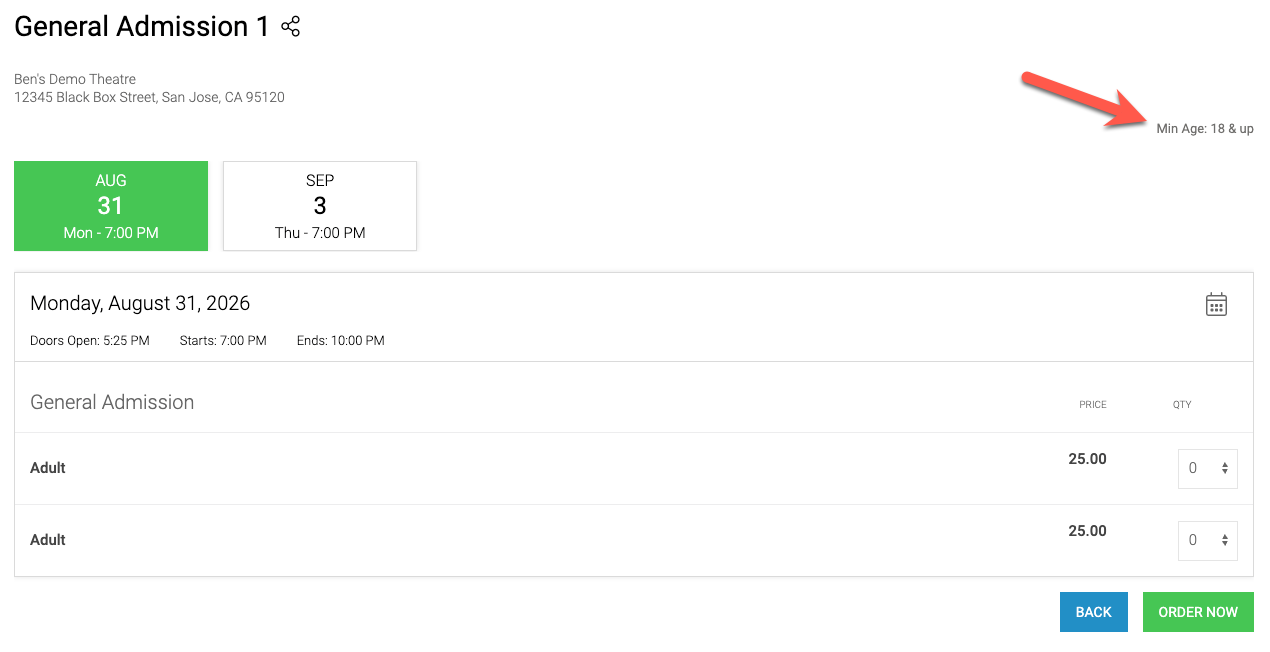
Looking for age-restricted tickets? See our Age-Restricted Tickets help doc: Age Restricted Tickets
Setting the Minimum Age When Creating an Event
The minimum age requirement is set during event creation using the Event Creation Wizard.
If you copy an existing event, the minimum age setting will carry over to the new event.
Editing the Minimum Age After an Event Is Created
To edit the age restriction for an existing event:
Go to Events > Manage Events and view the Open Events area.
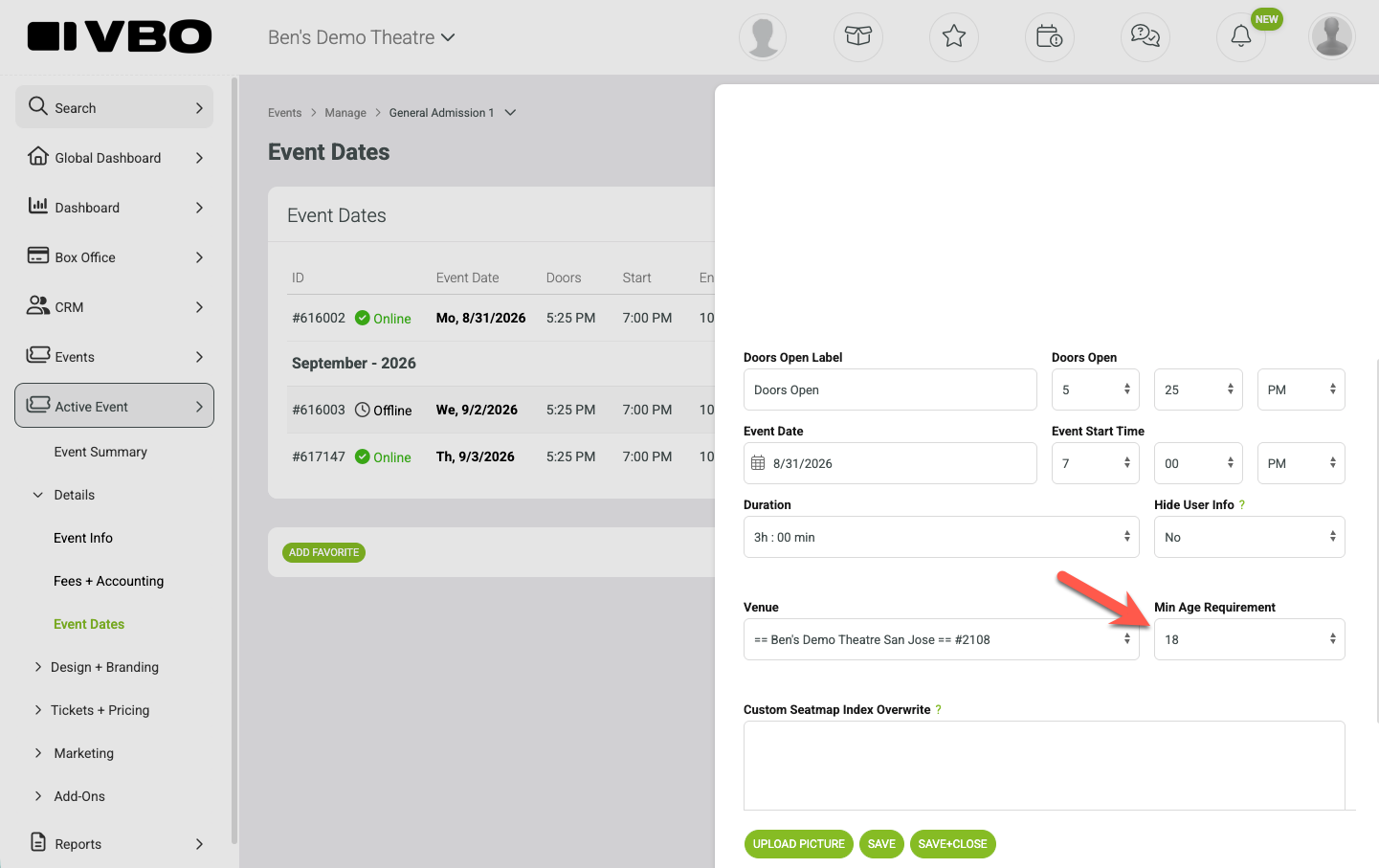
Select Event Dates from the select action menu on the event.
Click on an event date
Edit the minimum age requirement
Save your changes
Each event date must be updated individually.
Using an Event Scheduler
If you are using an event scheduler, the minimum age setting is configured on the scheduler itself.
Under Event Dates, click the scheduler
Edit the minimum age requirement
Save your changes
Note: Changes made to the scheduler will only apply to new event dates created going forward. Existing event dates will not be updated.