Pre- Authorization for Authorize.net
The Pre-Authorization option is for Authorize.Net gateway users only. If enabled, online transactions will be pre-authorized and must be manually captured within 30 days in the ORDERS menu. Pre-authorization requests will expire after 30 days.
Pre auth can be enabled per event, globally, or on an individual order in the box office.
If PRE-AUTH is enabled globally ALL Online transactions will be pre-authorized.
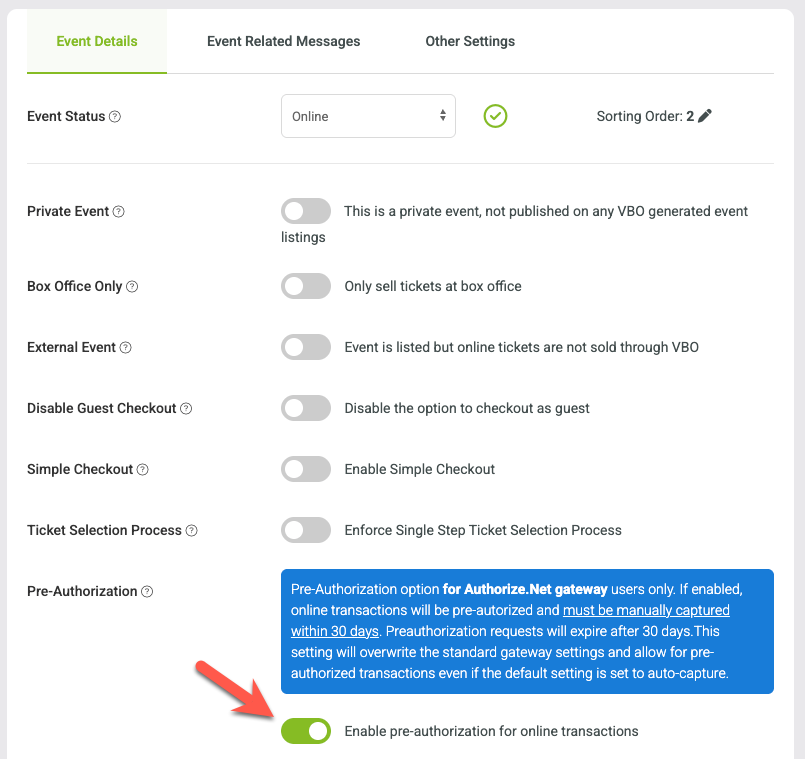
To enable on the event level:
Go to EVENTS > MANAGE EVENTS and select EVENT INFO from the select action menu on the event. Then turn on the pre-authorization toggle and press SAVE.
To enable on the global level:
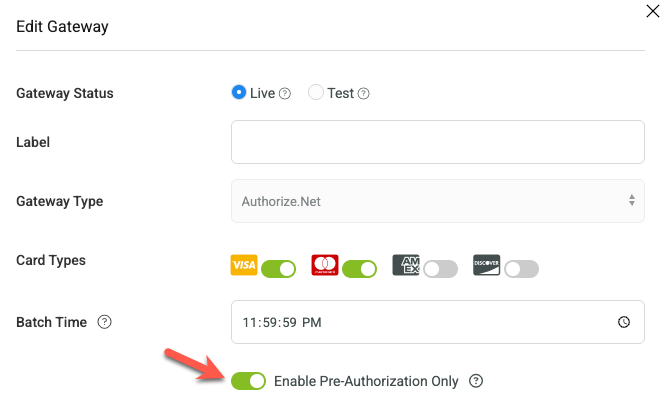
Go to SET UP > ORGANIZATION > PAYMENT SETTINGS and click on the payment gateway name to open the menu. Activate the "Enable Pre-Authorization Only" setting and press SAVE.
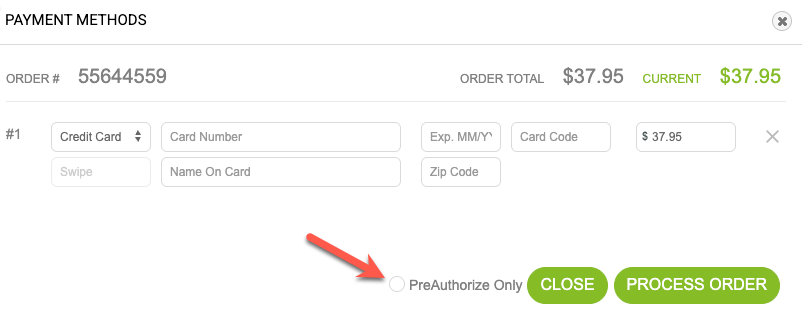
To enable on a per order level:
when you ring in the order and reach the final payment screen, click the pre-authorize checkbox.
Capturing Funds
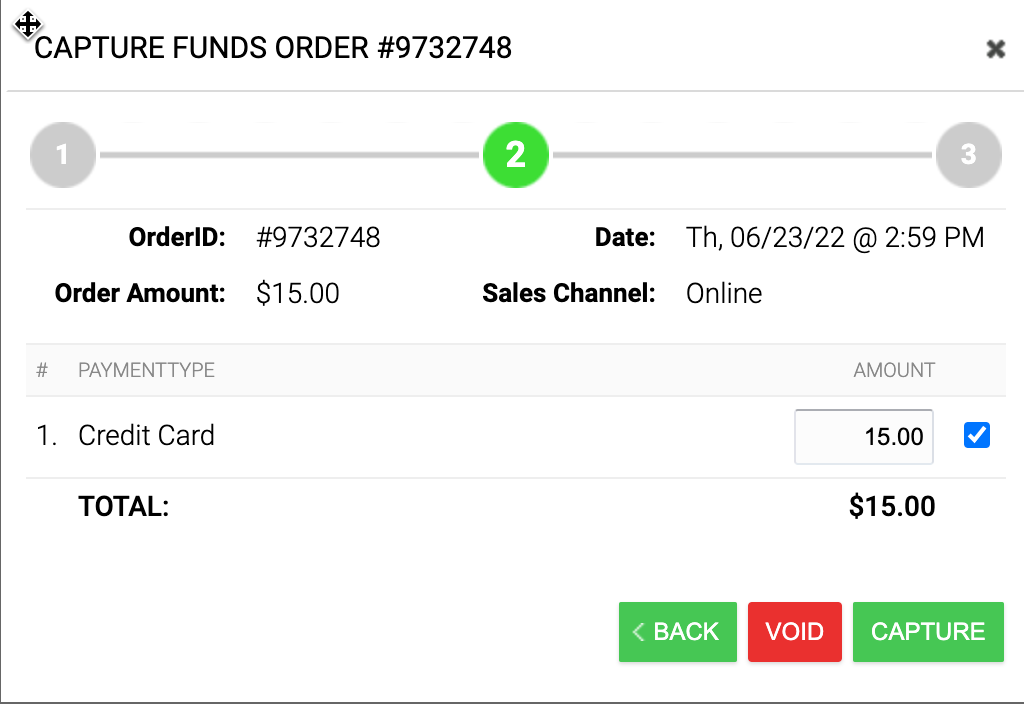
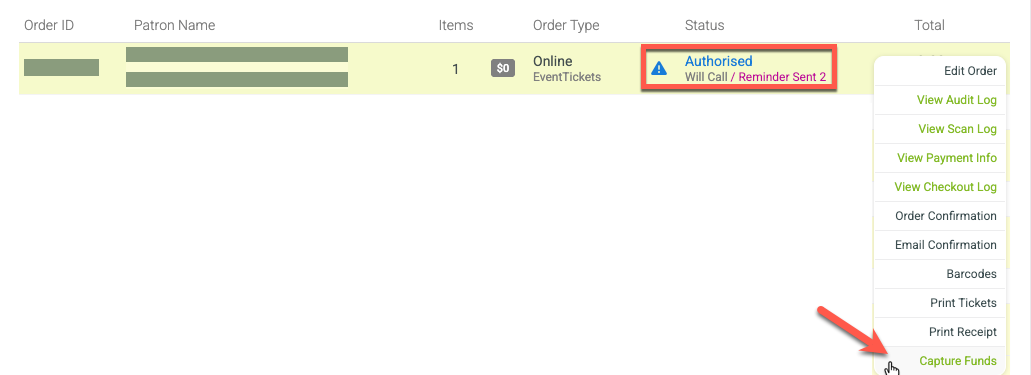
To capture funds, go to the orders menu and find the pre-authorized orders. Click the gear on the order and press capture funds and follow the capture flow. You will be able to capture funds or void the order.
1.
2.
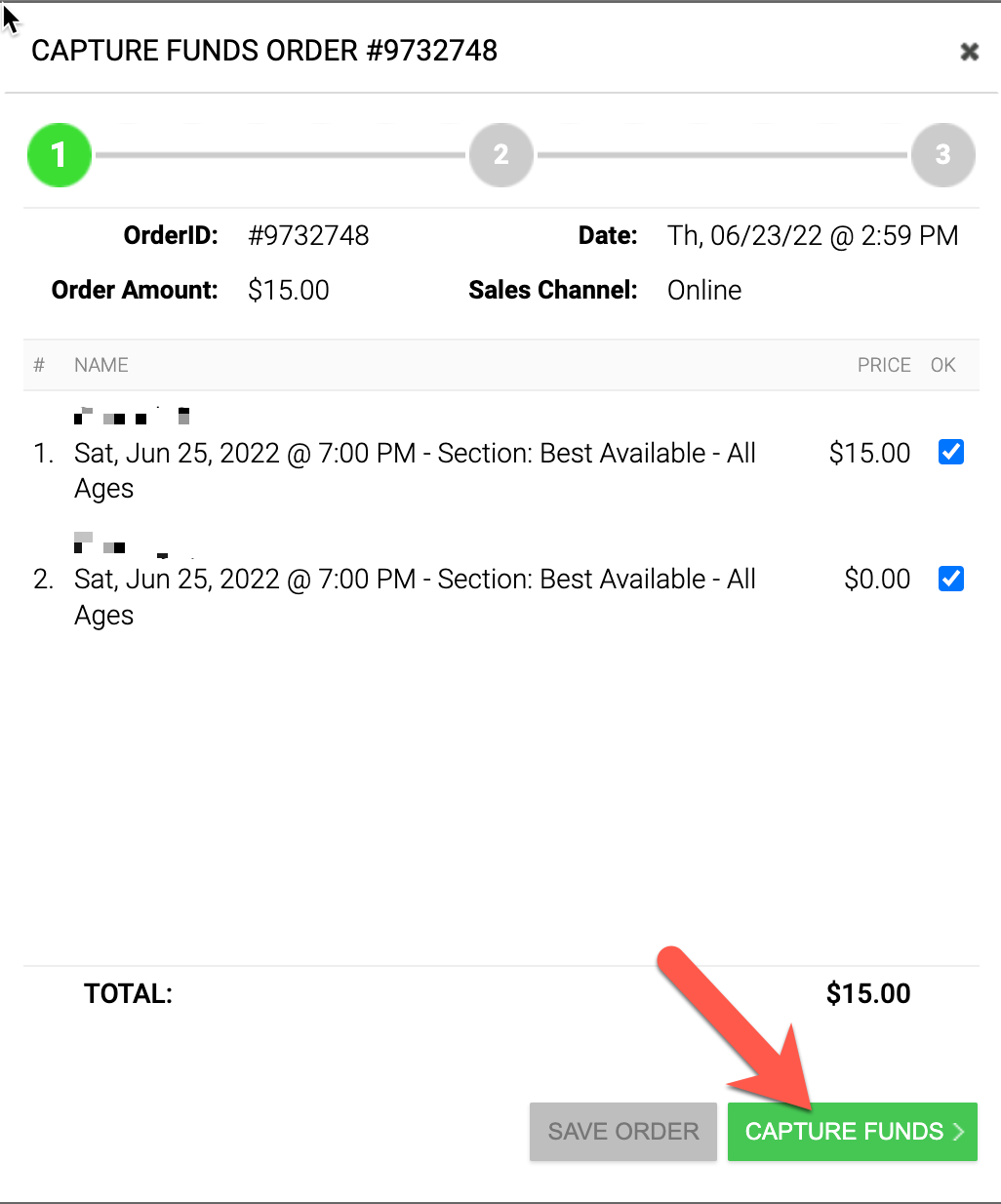
3. Void or Capture