Auto Renewal Email For Memberships
This guide shows you how to set up automatic reminder emails for memberships. Reminder emails help notify patrons before their membership expires and provide them with a direct link to renew.
How to Set Up the Auto Reminder Email Message for Memberships
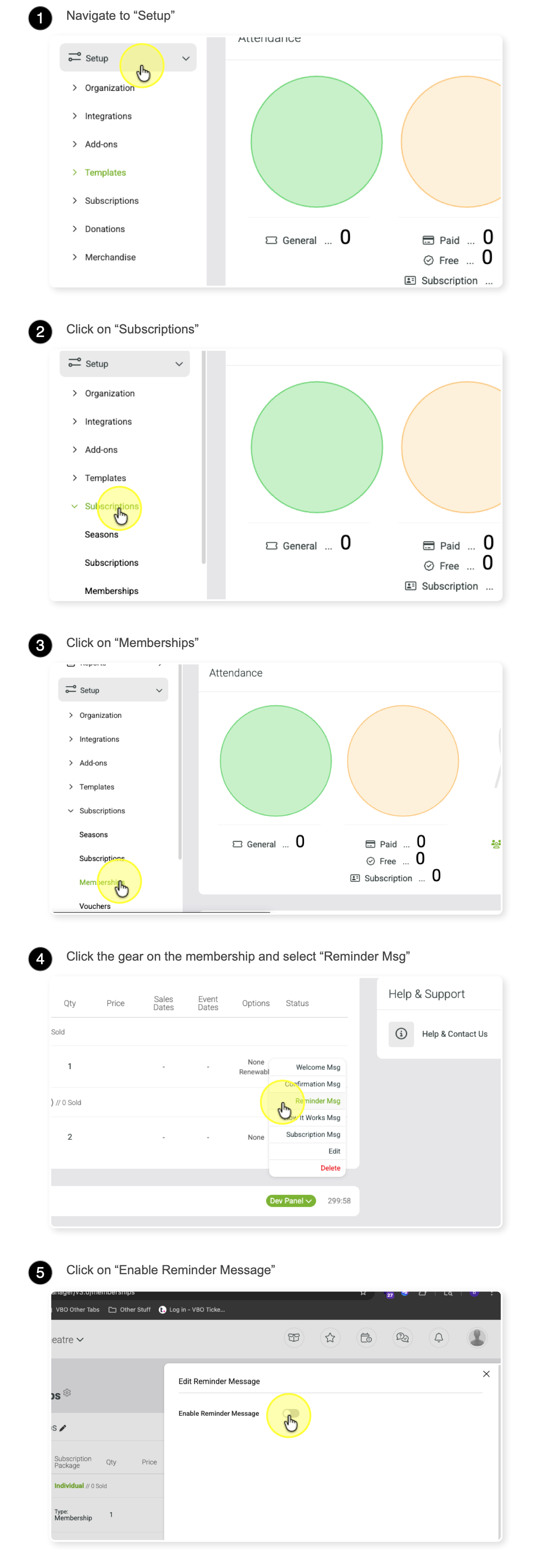
Fill out the reminder message form:
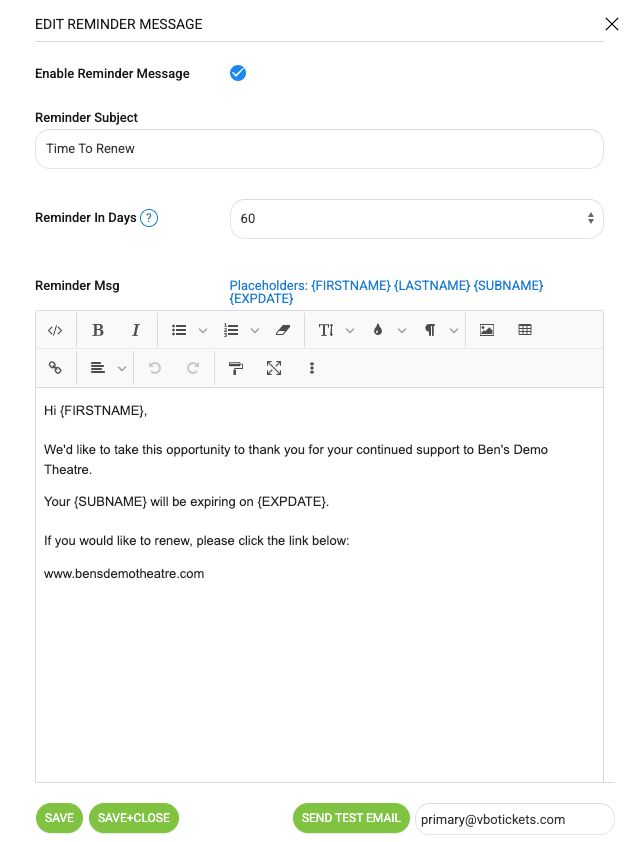
Enter a title for your email.
Set the number of days before the membership expiration that the reminder should be sent.
Write your email message. You can use the placeholders shown at the top of the page.
Make sure your reminder email includes a link where the subscriber can renew their membership.
When finished, click Save.
You can send yourself a test email to review how it looks.
Repeat the process for other memberships as needed.
The placeholders will automatically be replaced with each subscriber’s name and information.
Example settings: