Enforce Household Assignments on Memberships
Overview
The Enforce Household setting requires patrons to assign specific household members to a membership at checkout. This ensures that benefits are clearly tied to individual household members, supporting accurate CRM tracking, ticket eligibility, and personalized membership cards.
When enabled:
- Patrons must log in and have a household set up before purchasing
- The system will prompt them to assign household members based on available slots
Note: The household setting must be enabled under CRM > Settings > CRM Settings to use this feature

Setup
To enable this setting:
- Go to Setup > Subscriptions > Memberships
- Click the gear icon on the membership you want to edit
- Click Edit
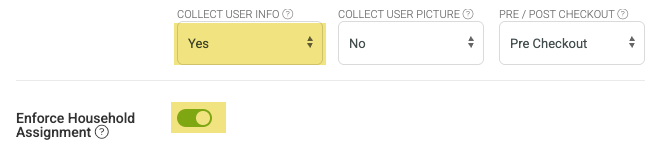
- Set Collect User Info setting to Yes
- Check the Enforce Household Assignment
- Save you changes
Note: This setting will need to be enabled on each membership that you want to enforce household assignment on
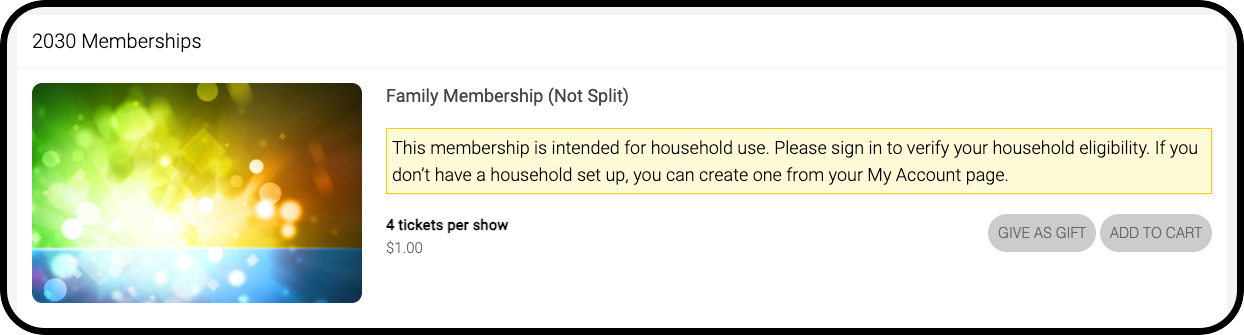
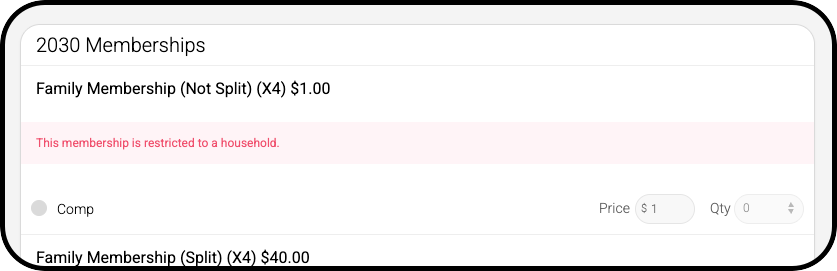
Display Examples
When enabled, the box office and plugin will look like the screenshots below. The membership will unlock when a patron with an active household is logged into the plugin or loaded in the box office.