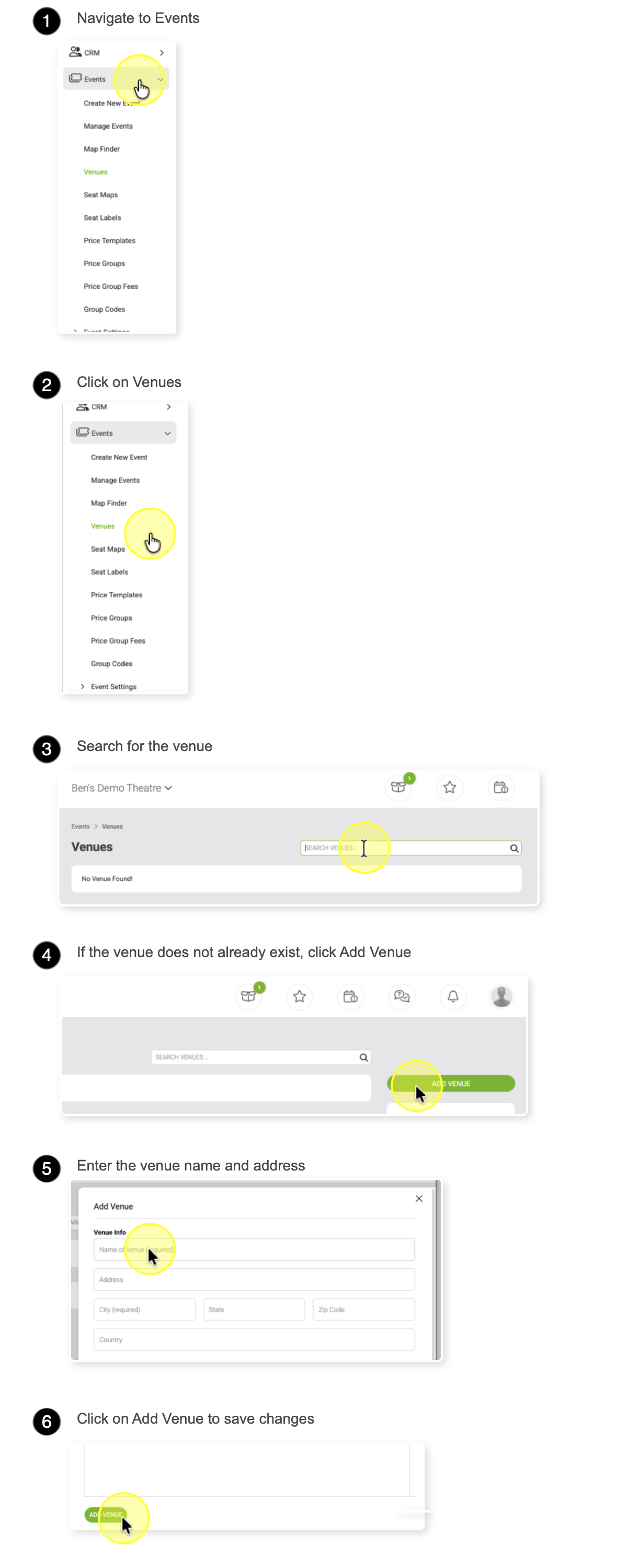
How to create a new venue
This guide will show you how to find, identify, and add venues in the system.
Understanding Venue Listings
VBO treats all venues added by presenters as global, meaning they are shared across all customers. Once a venue is created, it does not need to be created again.
Any venue you create will be marked with dashes (e.g., -- Venue Name --) for easy identification.
Once the venue is added, you can begin building pricing templates or seat maps.