Household Management
Overview
The Household Management feature allows you to group individual patron accounts into a shared household. This enables shared access to memberships, combined order history and household reporting.
Enable Household Management
Navigate to CRM > Settings > CRM Settings
Check the Enable Households setting
Save your changes

Create Households
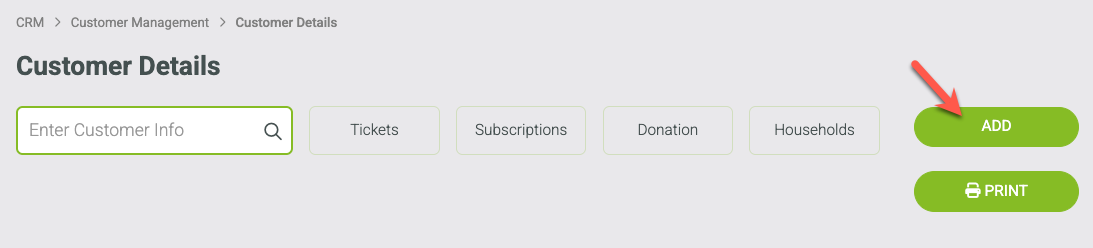
Navigate to CRM > Customer Management > Customer Details
Click Add
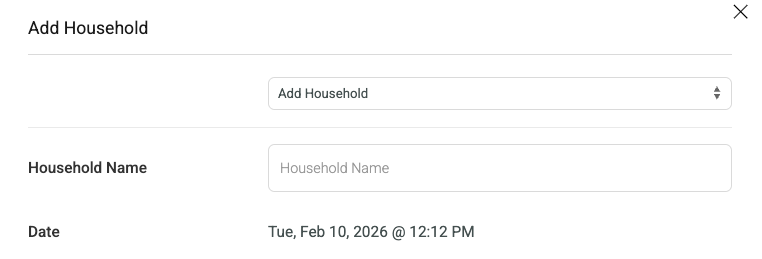
Toggle to Add Household
Enter Household Name
Click CREATE HOUSEHOLD to continue adding households or click ADD + CLOSE to exit the household setup
Add Patrons to a Household
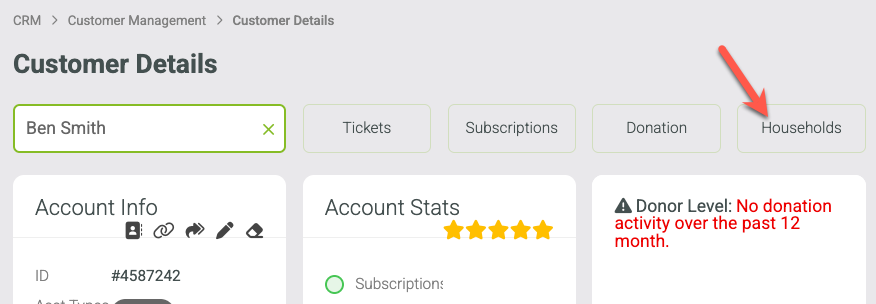
Load the patron account in CRM > Customer Management > Customer Details
Click the HOUSEHOLDS button at the top
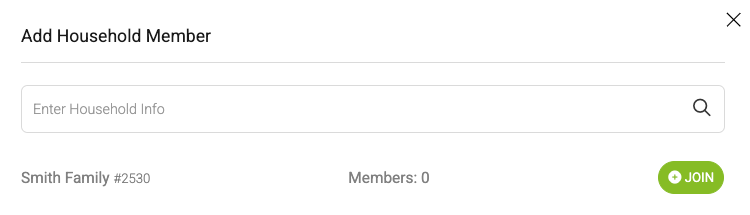
Click the + button in the household container
Search for the applicable household
Click the JOIN button next to the household