Alerts and notifications
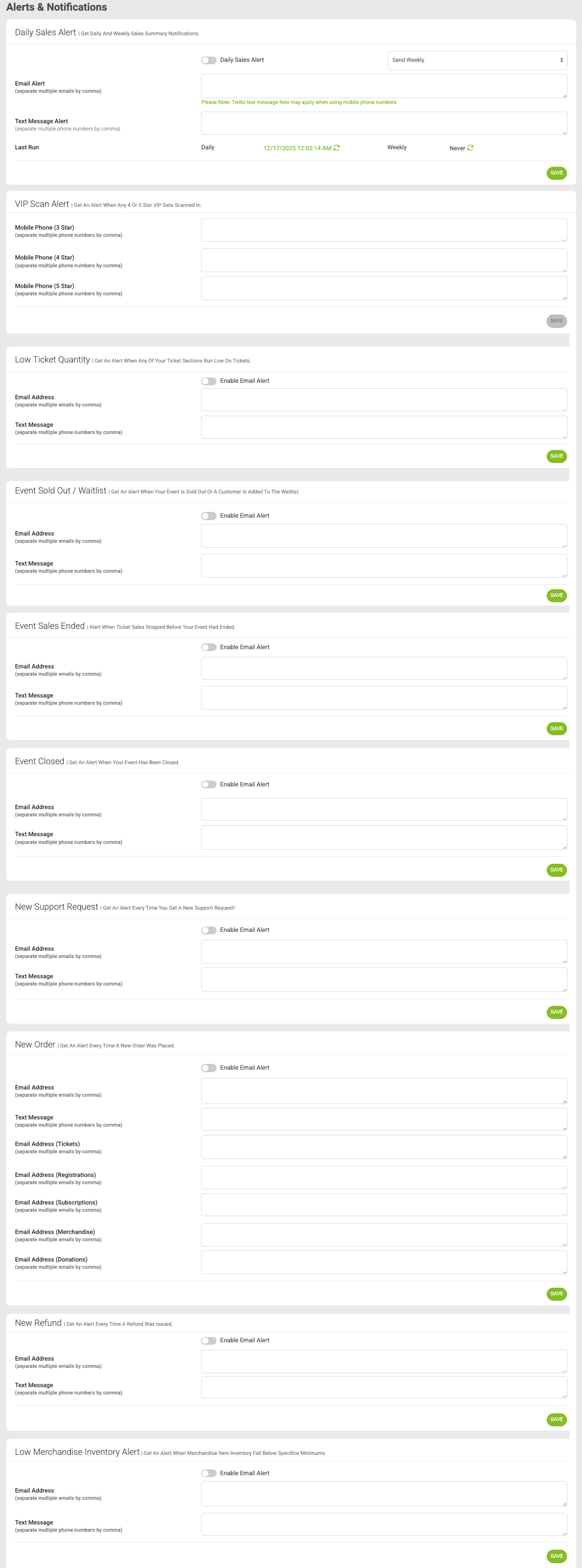
To access the alerts and notifications area navigate to
SET UP > ORGANIZATION > ALERTS AND NOTIFICATIONS.
Enter the email address you would like to receive the alert. If there are multiple email addresses, separate by a comma between emails.
Example alerts:
Daily Sales Report
New Support Request
New Order (Donations, Registrations, Subscriptions, Merchandise)
Refund
Etc.
Want to learn more about the VIP TEXT SCAN ALERT?
Click HERE: Star Rating / VIP Feature in CRM