Promoter Support Center
This help doc provides an overview of the Promoter Support Center, including how patrons submit requests, how to set up notifications for new inquiries, and how to view and manage support requests in VBO.
Setting up Support Info Contact
This info is shown on order confirmations and customer communications and will be the contact that receives support center emails.
NOTE: If this information is not filled out, the Primary Contact will receive Support communications.
Go to Setup > Organization > Promoter Info.
Enter the Name, Phone, and Email that customer's will see in communications.

How do patrons submit support requests?
Patrons can submit a request by clicking the Help icon at the top of the plugin.

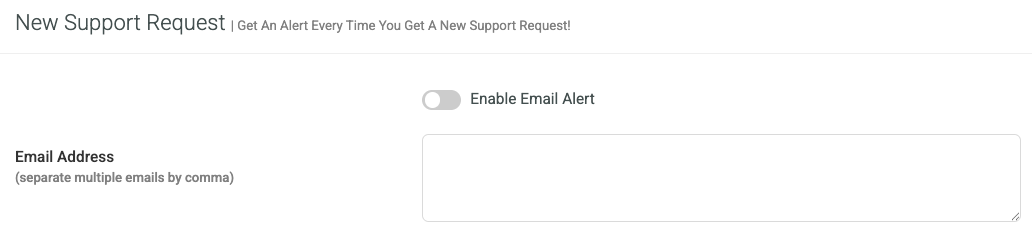
How to subscribe to new support request alerts
Go to Settings > Organization > Alerts and Notifications.
Enter the email address(es) that should receive alerts.
Viewing Support Requests
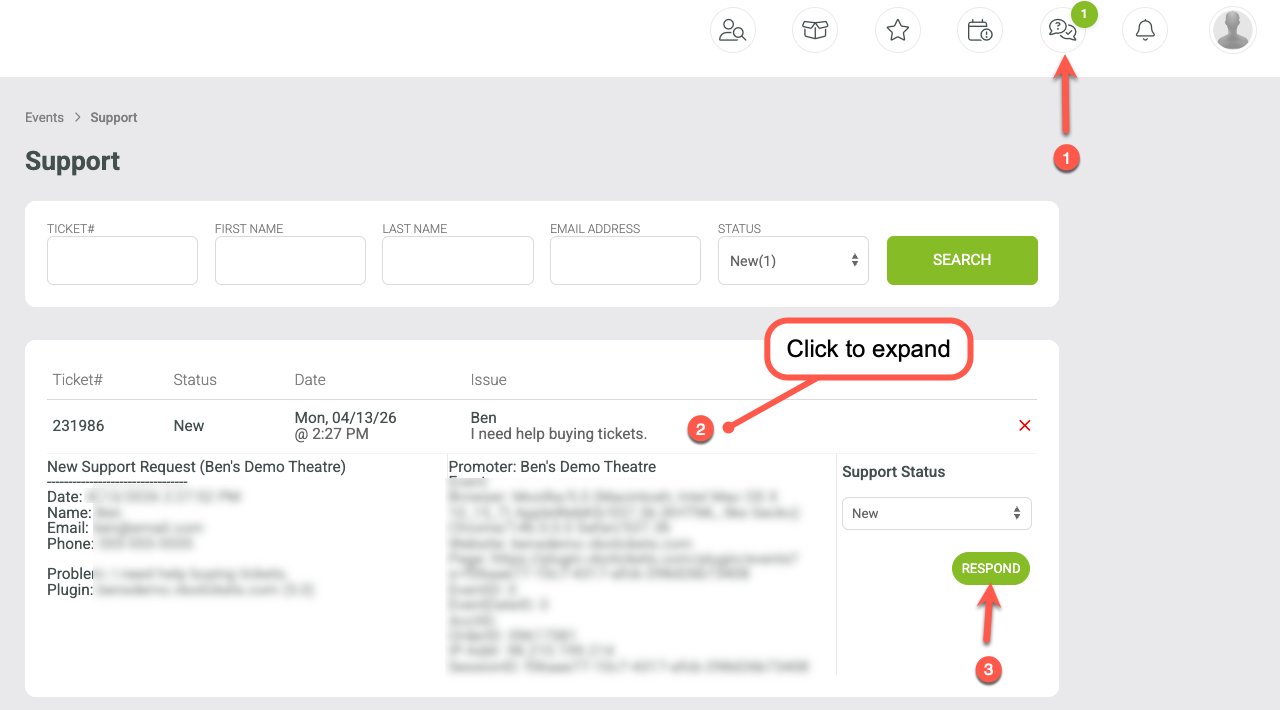
Support requests can be viewed in VBO by clicking the Support icon at the top of your profile. From there, you can view open tickets, expand them for more details, and reply directly within the Support Center.