Selling tickets in the box office
This help doc will explain how to sell tickets in the box office for both general admission and reserved seating events.
General Admission Events:
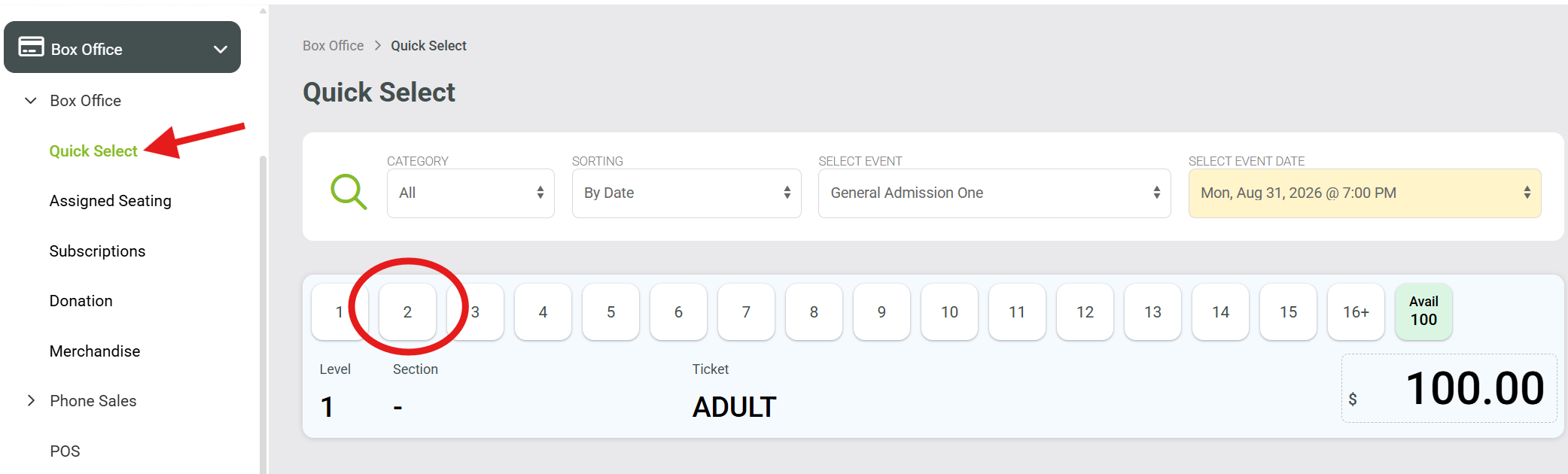
Go to Box Office section
Select Box Office
Choose Quick Select
Select # of tickets (for this example I chose 2)
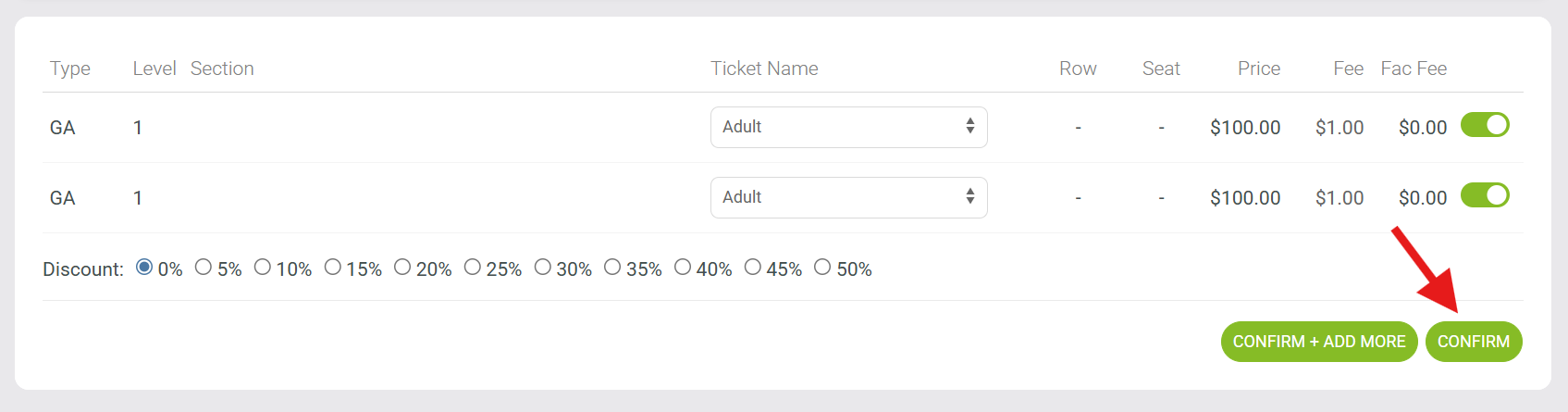
5. Click Confirm, this will take you to the Cart
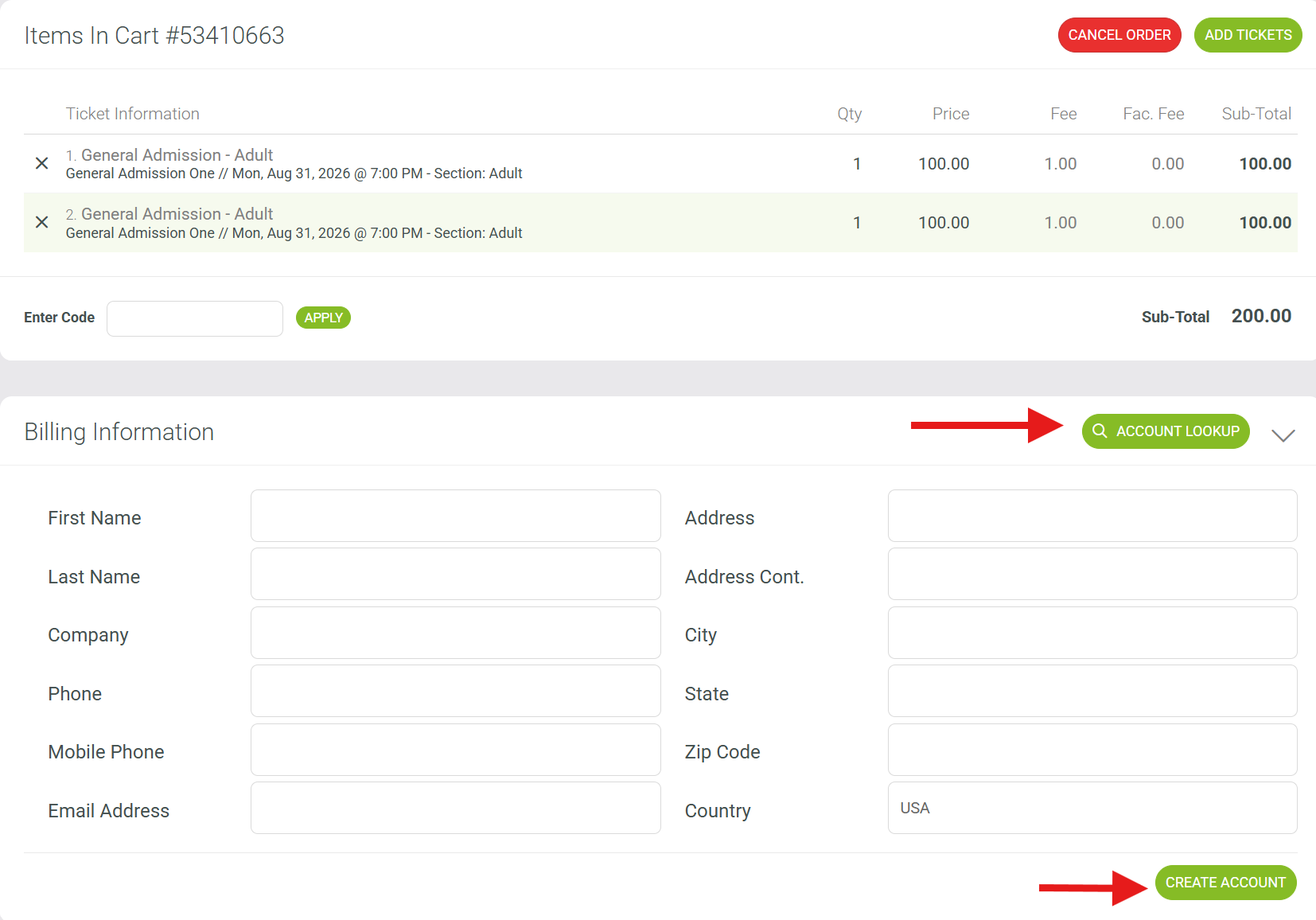
6. While in the cart, choose Account Lookup, and load your customer, or click Create Account
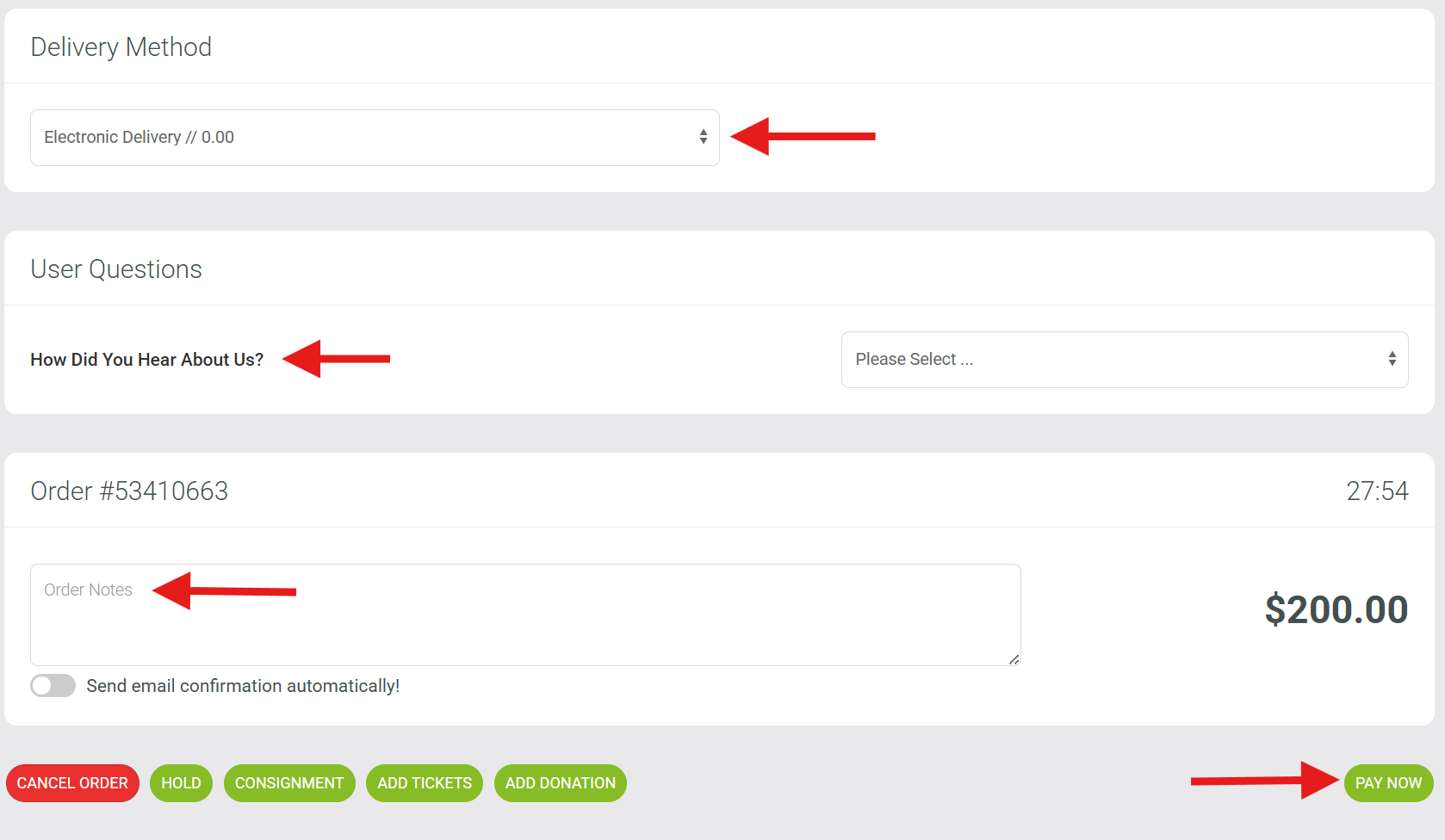
7. Scroll down and choose your delivery method
8. Answer any questions if you prefer (this is typically required to the online user, if you have them enabled)
9. Place any order notes you might need here. Examples might be "customer needs scooter to get to chair".
This is anything you might need staff or ushers to see.
10. Next, click pay now and proceed with payment.
Reserved Seating Events:
Go to Box Office section
Select Box Office
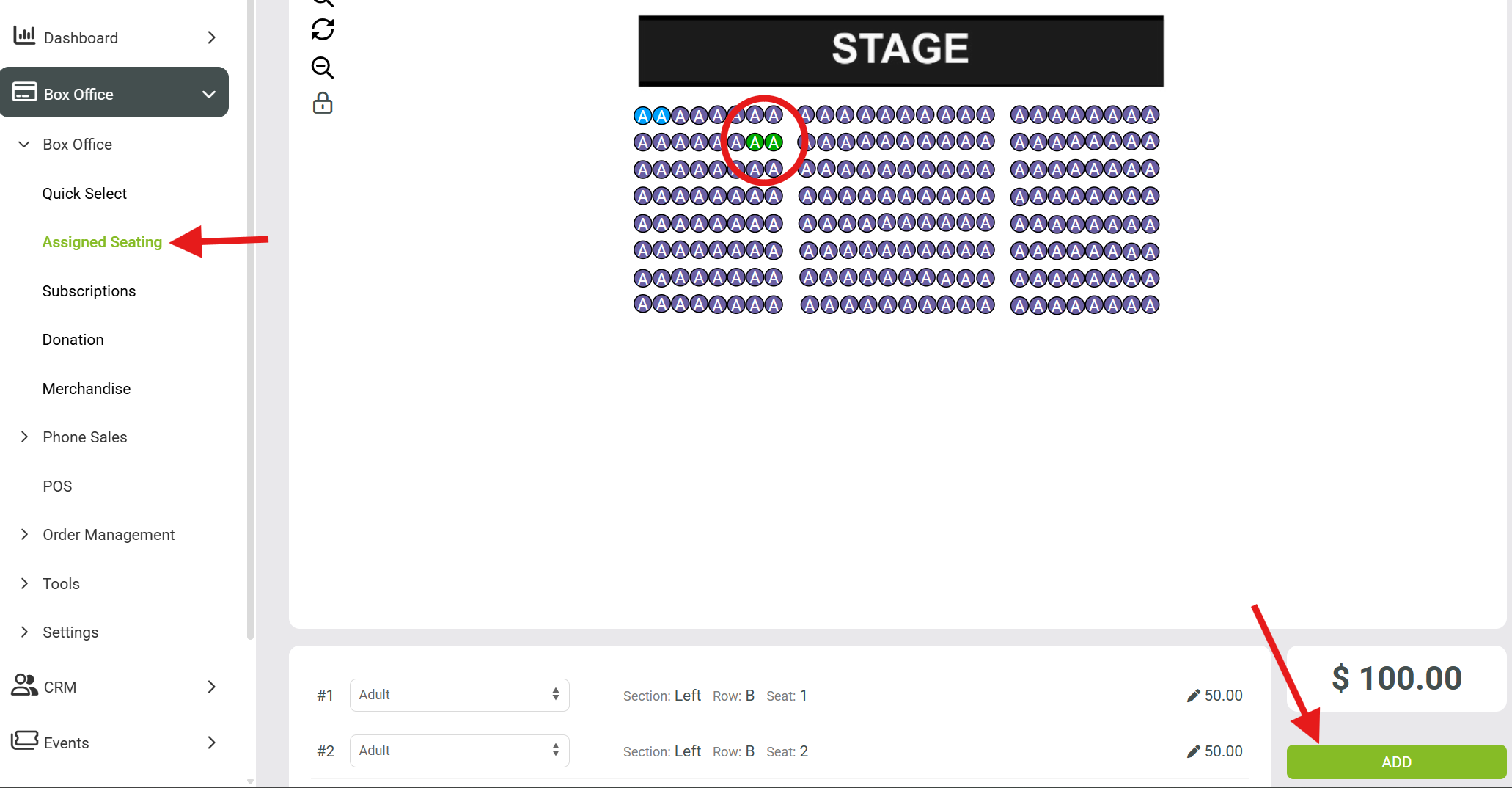
Choose Assigned Seating
From the Seat Map, Choose # of tickets (for this example I selected 2)
Click ADD to add tickets and continue to the cart.
7. Scroll down and choose your delivery method
8. Answer any questions if you prefer (this is typically required to the online user, if you have them enabled)
9. Place any order notes you might need here. Examples might be "customer needs scooter to get to chair".
This is anything you might need staff or ushers to see.
10. Next, click pay now and proceed with payment.