Early Bird Pricing
The Early Bird Discount allows you to automatically reduce ticket prices based on how far in advance a customer purchases their ticket. This discount is global (one template for all events) and must be manually enabled on each event you want it to apply to.
Note: Early Bird Discounts are different from Advance Purchase Discount function, which is only available for General Admission events.
The early bird feature is designed to be an online-only function as box office users have the ability to override a price.
Step 1: Configure the Early Bird Discount Settings
Go to Events > Event Settings > Early Bird Settings
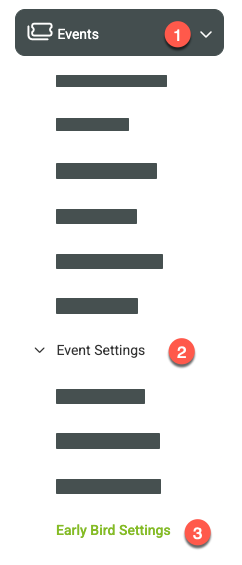
Here, you can configure how the discount works across all events.
Discount Type Options
You can set the discount as either:
Percentage off
Flat dollar amount off
Choose the option that best fits your pricing strategy.
Step 2: Define Discount Timing and Amounts
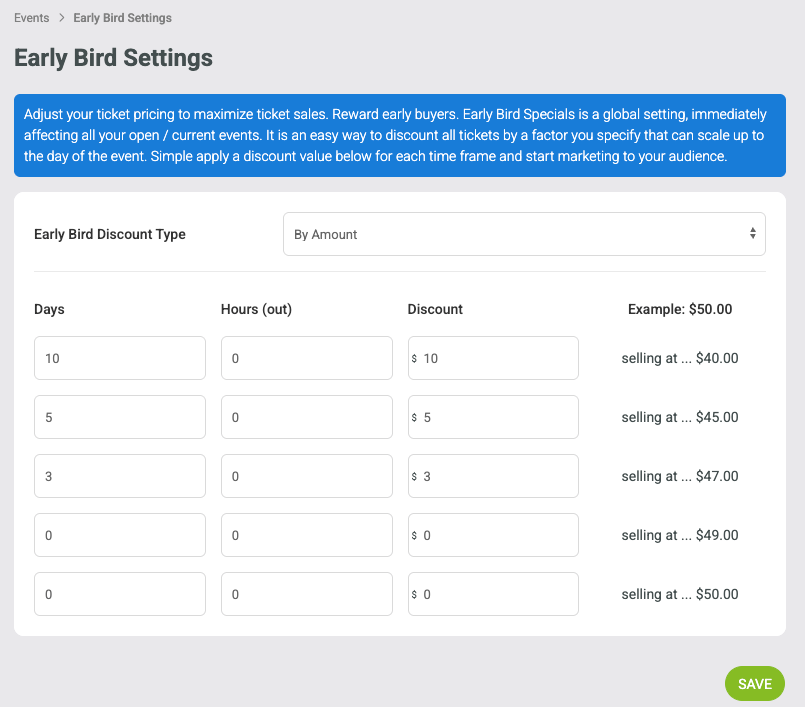
Early Bird discounts work in time-based tiers that count down to the event date. Configure each tier based on how far in advance the ticket is purchased.
Note: The top of the list should represent the farthest time from the event, with each tier below applying as the event date gets closer. Once finished, click Save.
Example using dollar amounts discounts:
Step 3: Enable Early Bird on an Event
The Early Bird Discount does not apply automatically to events. You must enable it per event.
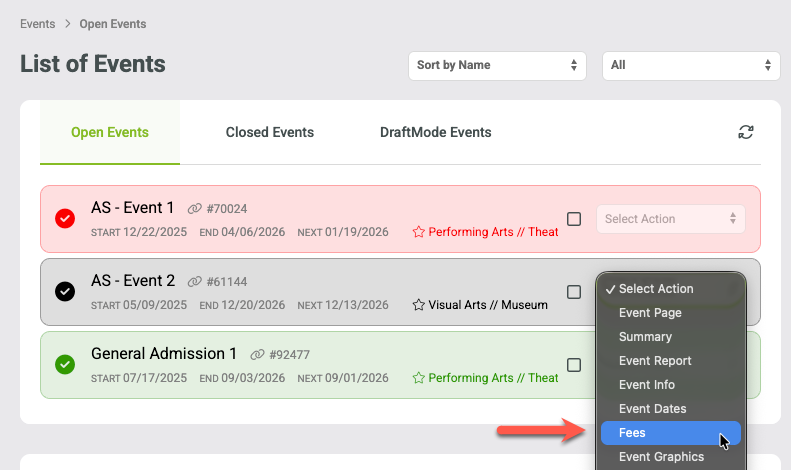
Go to Events > Manage Events and view the open events.
Select the Fees page from the select action menu on the event you want to modify.
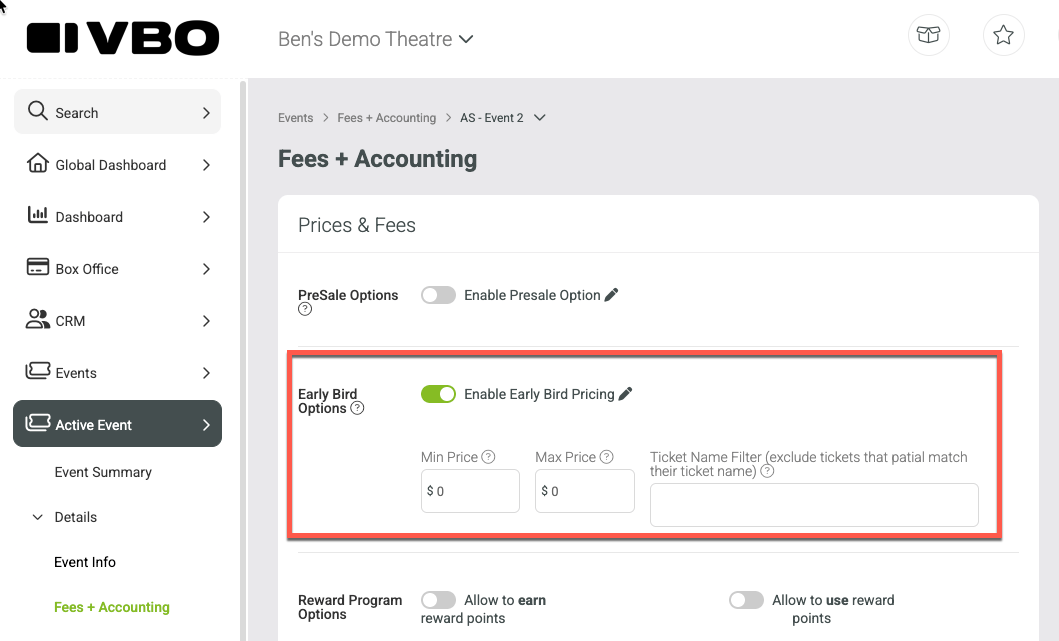
Locate the Early Bird Options section
Check the box to Enable Early Bird Discount
Optional: Limit Which Tickets Receive the Discount
Minimum & Maximum Ticket Price
You can restrict the discount to tickets within a specific price range.
Example: Apply only to tickets priced between $50 and $100
Leaving both values at $0 applies the discount to all tickets
Exclude Specific Ticket Types
Use the exclusion filter to prevent certain tickets from receiving the discount.
Example:
Entering student will exclude any ticket type containing the word student
Be careful with this field—any matching keyword will be excluded.
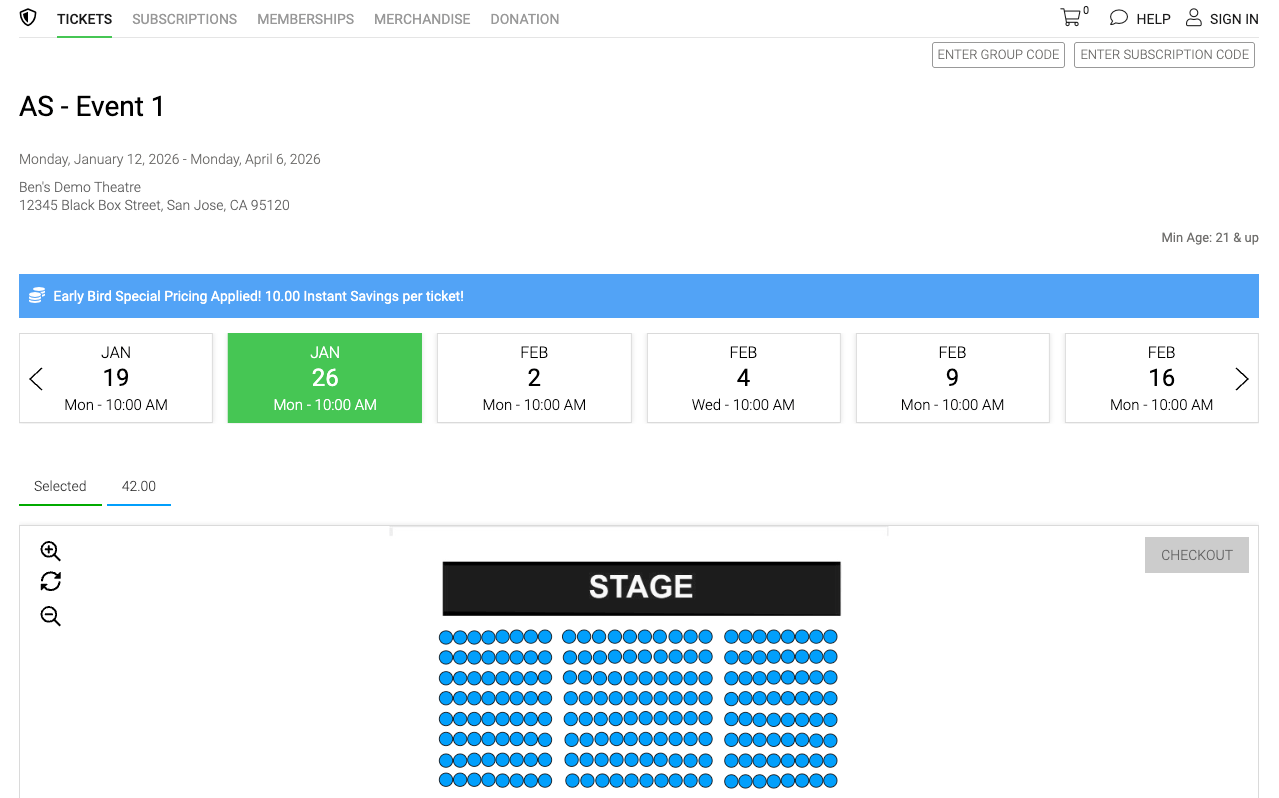
How the Discount Appears to Customers
When the Early Bird Discount is active:
The discounted price is automatically shown in your website ticket plugin
The discount adjusts based on how close the event date is
Customers purchasing after the final cutoff will see full price
Important Things to Know
Early Bird Discounts are global
You can only create one Early Bird template
The same discount structure applies to all events where it’s enabled
The discount only applies to events where the Early Bird checkbox is enabled
Other events will not automatically receive the discount